
The mini app opens with the "App" button in the chat with the bot. No separate password is needed: you sign in with your Telegram data.
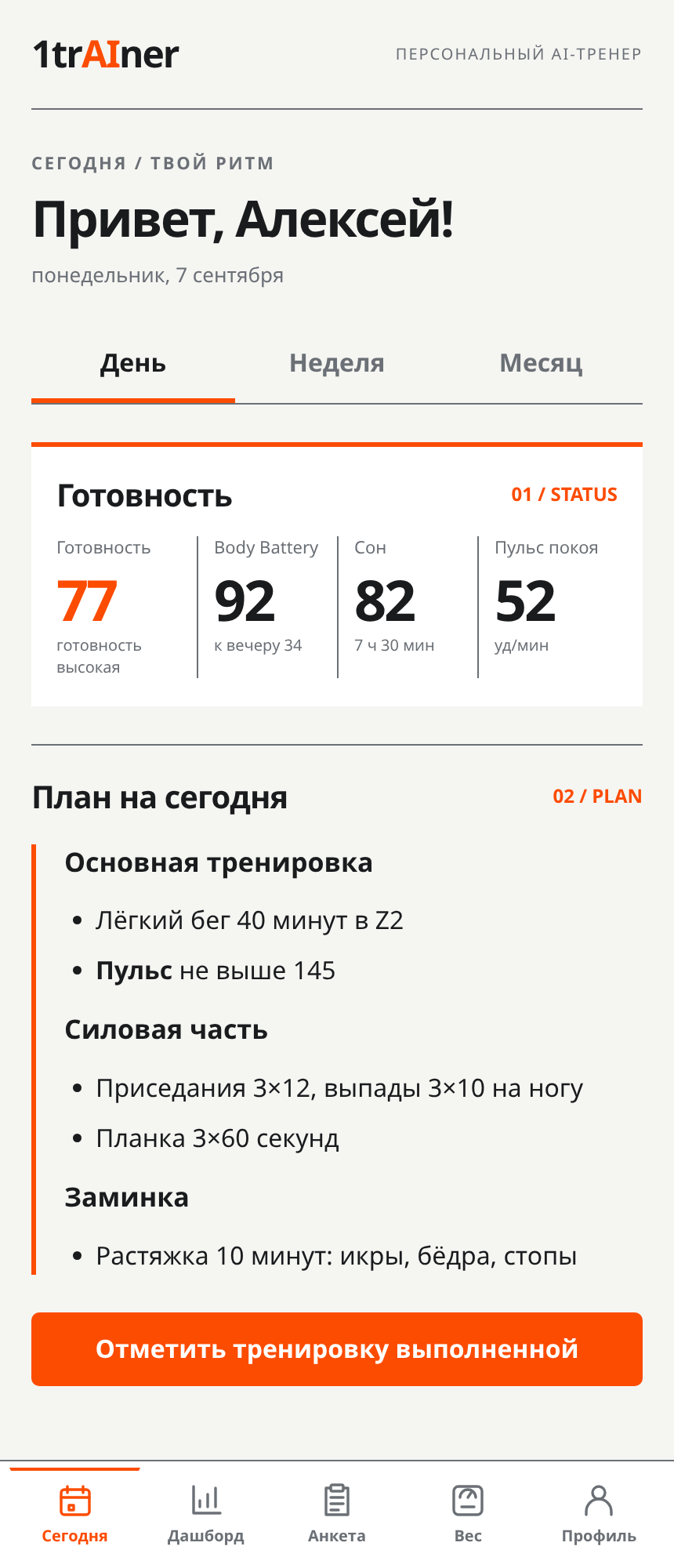
Today
- The "Day / Week / Month" switcher at the top of the screen opens the corresponding plan without leaving the tab.
- Readiness and Body Battery — the latest recovery metrics from your watch: readiness, sleep, resting heart rate.
- Today's plan — the plan text. If there's no plan yet, an "Ask coach" button appears, which opens the chat.
- "Mark workout as completed" — a short form: what you did (required), minutes, RPE from 1 to 10 and a comment on how you feel. The "Log workout" button saves it.
About RPE
RPE is your rating of perceived exertion on a scale from 1 to 10, where 1 means very easy and 10 means maximum effort. It's subjective but useful: alongside heart rate, it shows how demanding the workout was for you.
Dashboard
A tab with numbers: form and fatigue, weekly and monthly volumes against the plan, totals by sport, weight over 90 days as a chart with a "Log" button, recovery over the last 7 days and a list of recent workouts. Blocks can be collapsed, and the "Refresh" button reloads the data.
Map
The "Territory" game: your cells on the map, the "Show my territory" and "Show last run" buttons, and the "Runner leaderboard" for the week, month and year. Below are the "Game: captures" settings: messages about lost cells and the leaderboard. The rules are in the "Game: cells, territory and rating" section.
Questionnaire
The "Annual goal" section lets you view your current goal or ask the service to generate it again based on your data. Below it is the six-step questionnaire with a progress indicator. If you've already completed it, the app will let you know. You can update your answers in the dashboard.
Weight
A "Weight, kg" field and a "Log" button. Below are "Trend", the "Last 30 entries" chart and a list of recent values. Entries from the chat, the app, your watch and scales go into the same diary.
Profile
- "Subscription" and "Plan" — subscription status, plans and the "Pay" button;
- "Thresholds and zones" — threshold heart rate or your own zone boundaries from a test, with the "Save" and "Restore automatic" buttons;
- "Integrations" — whether Garmin, FatSecret, Polar and COROS are connected, with connect buttons — they lead to your dashboard;
- "1trAIner app for iPhone" — the "Get code" button issues a six-digit code to sign in to the app and shows already linked devices;
- "Specialists" — "My specialists", "Specialist services" and "Safety and help";
- "Help" — links to the instructions in this help section and the support address;
- the "Open chat with coach" button.
Going to the dashboard
From the profile in the app, you can go to the web dashboard already signed in — no need to enter your password a second time. This is handy when you need settings that aren't available in the app: connecting your watch and FatSecret, the plan schedule, the referral program.
What to do in the app every day
- In the morning, open "Today" to review your condition and plan.
- After a workout, mark it as completed if your watch hasn't recorded it, and enter your RPE.
- Every few days, record your weight in the "Weight" tab.
- For anything you want to discuss, use the button in your profile to open the chat with your coach.
If the app shows old data
The mini app loads your summary when you open it. Close and reopen it to refresh the data. If your plan has just changed, give the coach a moment to finish: saving takes a few seconds.